
GINGER WALLET
Your most secure Bitcoin wallet!
Discover the ultimate open-source, non-custodial Bitcoin wallet for desktop! Enjoy seamless Coinjoin integration, advanced coin verification to ensure clean transactions, and guaranteed liquidity for top-tier privacy and efficiency.
Authenticate Read more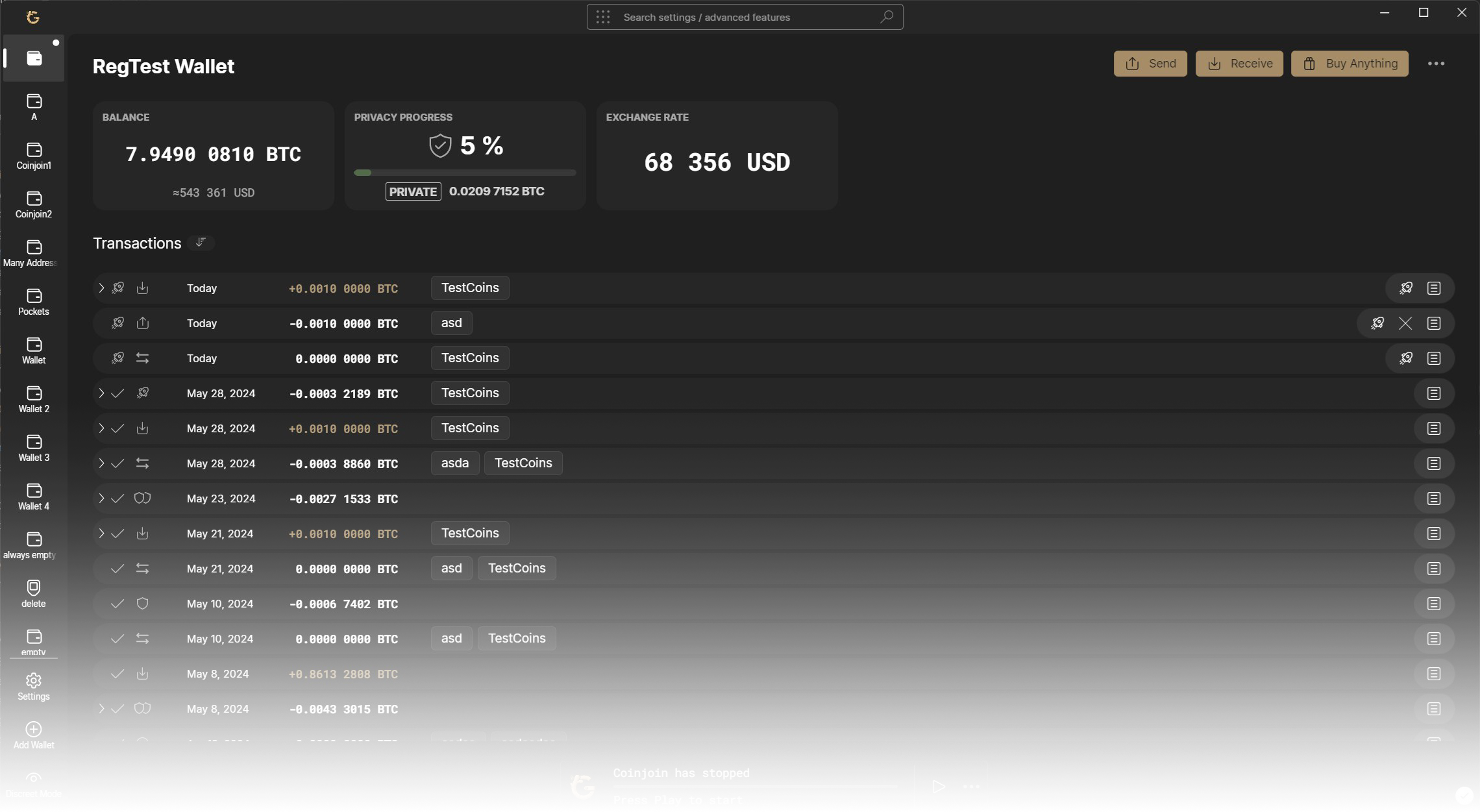
The history of Ginger Wallet
We believe the most urgent issue facing humanity is fixing the monetary system, with Bitcoin being the best solution and privacy as its biggest challenge.
Ginger Wallet was created to help Bitcoin retain its cypherpunk principles on its journey to becoming a global reserve currency and to address the inherent privacy issues of its public ledger. This is why Ginger Wallet is an open-source, non-custodial, privacy-focused Bitcoin wallet for desktop that implements trustless coinjoin technology.
After years of privacy research and development, we’ve realized that having good tools is not enough—they must also be easy to use. Otherwise, they will only be utilized by a minority, making those users stand out. To encourage the adoption of these tools, Ginger is designed to be user-friendly and to provide privacy automatically by default.
-
2024 -
 Wasabi Wallet without coinjoin
The default coinjoin coordinator of Wasabi Wallet stopped operating.
-
2024 -
 Ginger Wallet
Ginger Wallet forked from Wasabi Wallet. A new coordinator with an active coinjoin service has been established.
WHY GINGER WALLET?
We live in a society reminiscent of Orwell's dystopian vision, where surveillance is pervasive, and your information is exploited to categorize and influence you. Bitcoin projects face increasing pressure to gather extensive data whenever possible.
This is why Ginger Wallet is designed as a zero-knowledge software. Its developers cannot collect any of your sensitive information. Your bitcoin transactions remain entirely your own business.
Download Read more
Open Source
Ginger Wallet is a free, open-source and deterministically reproducible software. Anyone can see, verify and even contribute to the code.

Non-custodial
Not your keys, not your coins. With Ginger Wallet, you have control over your private keys, granting you true financial self-sovereignty.

Trustless By Design
The software is engineered to ensure that neither the public nor the developers can compromise your privacy. This is achieved through coinjoins, client-side block filtering, and communication via the Tor anonymity network..

Easy To Use
Ginger is designed as a user friendly Bitcoin wallet that automatically manages your privacy behind the scenes, including network connections, input selection, and coinjoining.

Comprehensive
The wallet employs WabiSabi, an anonymous credential scheme designed to facilitate more accessible and efficient coinjoins. This enables users to leverage the best privacy tools without needing a significant amount of bitcoin in their wallet.

Affordable
Coinjoining coins with a value exceeding 0.01 BTC incurs a 0.3% coordinator fee + mining fees. Inputs of 0.01 BTC or less, as well as remixes, are exempt from coordinator fees, even after a single transaction. Consequently, a payment made with coinjoined funds allows both the sender and the recipient to remix their coins without incurring any coordinator fees.
Your security is our top priority!
While it's a free market where anyone can act as a coordinator, few take responsibility. We are one of the few who do. With our secure background, we ensure your coins remain separate from illicit sources, making them acceptable by exchanges or other platforms. Additionally, we have sufficient liquidity to achieve excellent privacy levels.
Download Read more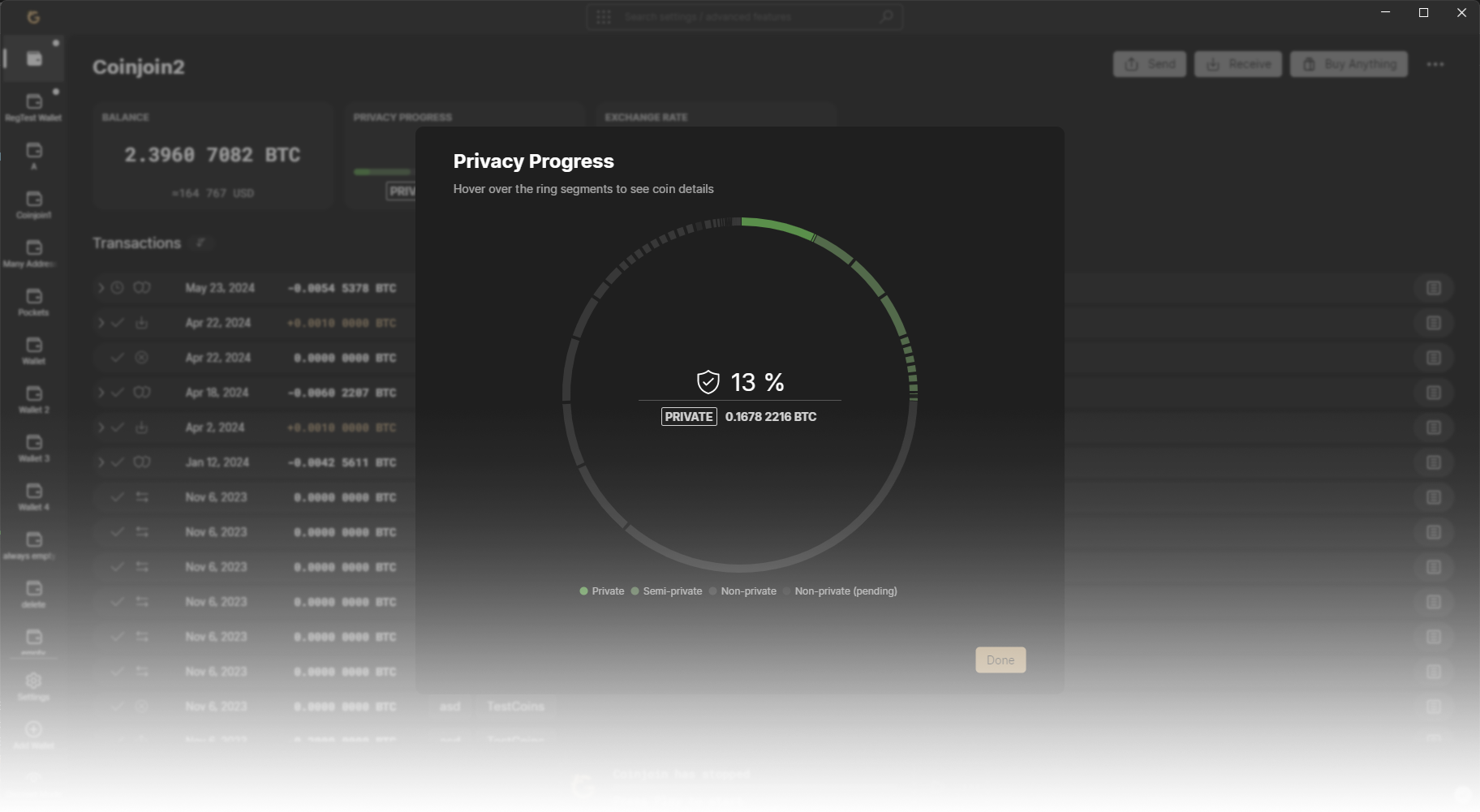

Secure Coinjoins
We prioritize your privacy and work diligently to keep your coins separate from illicit sources. Our dedication to security and liquidity ensures a high level of anonymity and trust.

Works by default
Unsure which coordinator to use or how to set it up? Ginger CoinJoin is ready to go right after download—no extra steps needed. By default, it uses our coordinator with all parameters pre-configured and guaranteed fees. Give it a try!

Size matters
We prioritize coinjoins with more participants over smaller, faster rounds. Larger coinjoins offer greater anonymity, lower costs, and better blockspace efficiency.
Frequently Asked Questions
A coinjoin is a collaborative transaction between multiple peers.
Usually, but not necessarily, it consists of some standard output denominations that participants should break their coins in to. This makes it difficult for outside parties to trace where a particular coin was sent to (as opposed to regular bitcoin transactions, where there is usually one sender and one receiver).
Coinjoins can be done with non-custodial software like Ginger Wallet, that eliminates the risk of funds disappearing or being stolen. The funds will always be in a bitcoin address that the user controls and not even developers can alter the transaction or redirect the funds.
Coinjoin basically means: “when you want to make a transaction, find someone else who also wants to make a transaction and make a joint transaction together”.
Coinjoining coins with a value above 0.01 BTC costs 0.3% as a coordinator fee + mining fees. Inputs of 0.01 BTC or below don't pay coordinator fees, nor do remixes, even after one transaction. Thus, a payment made with coinjoined funds allows the sender and the recipient to remix their coins without paying any coordinator fees.
No, Ginger’s coinjoin implementation is trustless by design. The participants do not need to trust each other or the coordinator. Since only the user knows the private keys, only he can sign the transaction, which will only be done after verifying that everything is alright. Nobody can neither steal your coins, nor figure out which outputs belong to which inputs.
Ginger does support hardware wallet usage through the standard Bitcoin-core HWI, although coinjoining straight from or to a hardware wallet is not yet possible.
Here's a list of the officially supported hardware wallets.
No. Ginger’s features, like coinjoin, require considerable computational power, which are currently not replicable on a smartphone.
There are countless reasons why it is the only logical choice to be bitcoin-only. With Bitcoin we have a once in a lifetime opportunity to manifest libre sound money. If we succeed, then an utmost beautiful agora of sovereign individuals may emerge. If we fail, then this will conjure up the most horrific Orwellian nightmare. There is no room for wasted time and energy, this great work requires our full attention. Any line of code written to support a random shitcoin takes away scarce developer time to work on real problems.
Ginger runs in most operating systems with 64-bit architecture.
For the complete list of all the officially supported operating systems, click here.
All Ginger network traffic goes via Tor by default -there's no need to set up Tor by yourself. If you do already have Tor, and it is running, then Ginger will try to use that first.
You can turn off Tor in the Settings. Note that in this case you are still private, except when you coinjoin and when you broadcast a transaction. In the first case, the coordinator would know the links between your inputs and outputs based on your IP address. In the second case, if you happen to broadcast a transaction of yours to a full node that is spying on you, it will know the link between your transaction and your IP address.
Addresses being used more than once is very damaging to privacy because that links together more blockchain transactions with proof that they were created by the same entity. The most private and secure way to use bitcoin is to send a brand new address to each person who pays you. After an address has received a coin, it should never be used again. Also, a brand new bitcoin address should be demanded from the recipient when sending bitcoin. Ginger has a user interface which discourages address reuse by removing from the GUI addresses which have received a coin.
It has been argued that the phrase "bitcoin address" was a bad name for this object because it implies it can be reused like an email address. A better name would be something like "bitcoin invoice".
Bitcoin isn't anonymous but pseudonymous, and the pseudonyms are bitcoin addresses. Avoiding address reuse is like throwing away a pseudonym after it has been used.
The password you set is used as a 13th seed word (as described in BIP 39) and to encrypt the private key of the extended private key (as described in BIP 38) to get an encrypted secret which is stored on the computer.
Ginger Wallet stores only the BIP38 encrypted blob, so you'll need to type in the password to spend or coinjoin from the wallet.
The password will unlock your bitcoin to anyone who has access to the recovery words backup or the computer! If your backup gets compromised, this password is the only thing protecting your precious sats.
It is important to use a random and long password.
What is Ginger Coordinator address?
https://api.gingerwallet.io/How to add Ginger coordinator to Wasabi Wallet?
- Click to Search bar » Type "Config File" » Press ENTER
- Change MainNetBackendUri from https://api.wasabiwallet.io/ to https://api.gingerwallet.io/
- Restart Wasabi Wallet
How to add Ginger coordinator to BTCPay Server?
- Select Discover Coordinators over Nostr
- Select Ginger Coordinator
- Save
Reclaim your privacy now
Get started in 3 simple steps

1. Download Ginger Wallet

2. Create a new wallet

3. Let auto-coinjoin do its magic
DOWNLOAD
GINGER WALLET


Our software is exclusively available for desktop use. To download, please access this website from a desktop computer.